Every model you pay for, in one studio.
Images, video and sound on the provider accounts your team already connects. Studio plans the piece, runs every waiting shot at once across your providers, and keeps every take, model and estimate in one place.













Create
Studio opens on Create: pick image, video or audio, then the task, the model and the provider that runs it. Drop in a file or pick one from your Library; the side column shows only the settings that model takes, and the estimate before you press Generate.



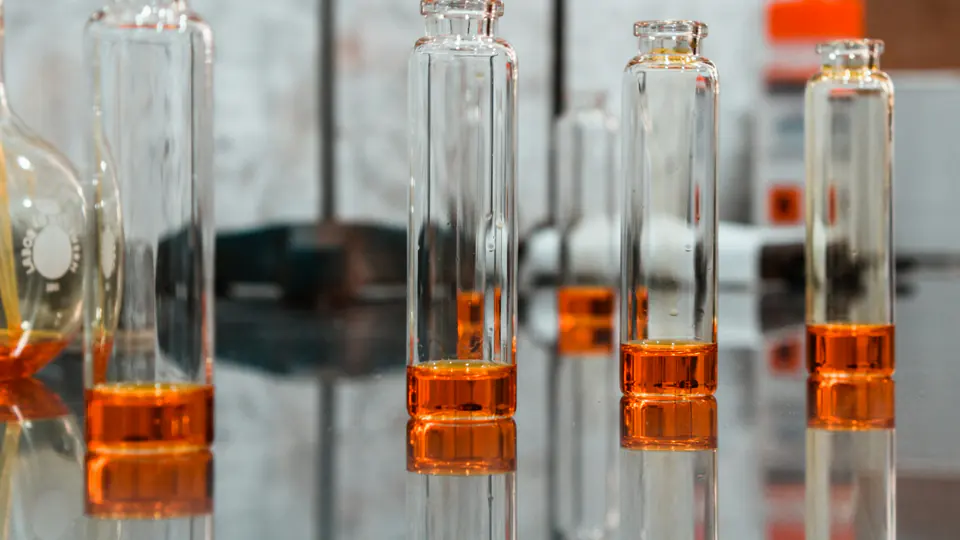
Image, Edit: the upload amber-pour.jpg in "Image to edit", the what to change "Same bottle on wet black stone at night, lantern light from the left, rain on the glass.". GPT Image 2 on Auto: OpenAI, then fal; estimated $0.21, billed by the provider. Generate puts the run in the run queue.
Run all
Run all starts up to six steps together, each on the provider you chose for it, and queues the rest. Drafts get their keyframes; keyframes get their motion.
- Each step on its own providerA run is a graph. Each step starts the moment what it needs is ready, on the provider you chose for it.
- Run all, recipes and FlowOne press for every waiting shot, or a recipe: a character sheet, a shot on several models, a talking character, upscale and finish.
- A stopped run resumesIt picks up where it stopped and reuses what it already made, instead of paying for it twice.
- Your failover, your routesEach step is a gateway request, so failover per condition, model checks and guardrails on prompts apply.
Compare
Make the same shot on several video models, play the takes side by side and keep the one that works. Each take shows its provider and its estimate.
- Kling O3fal · 4 s · est. $0.45 Kept
- Veo 3.1Google · 4 s · est. $1.60
- Seedance 2.0Replicate · 4 s · est. $0.60
- Runway Gen-4.5Runway · 4 s · est. $0.48
Cast
Characters that hold, on every model.
Cast characters, locations, styles, props and voices once. Studio gives each model the references it can take, so Mara is Mara in every shot, whichever provider renders it.







Library
What you bring in and what each model makes are kept together: searchable by name, prompt, model and tag, filtered by project, favourites or what leaves soon, and each one shows the model and provider that made it and the date it is kept until.










Sound and export
From the last take to your editor.
Voice lines, lip-sync, sound effects, music and upscaling on the models you connect, then one package with timelines, captions and a manifest of every file.
- VoiceElevenLabs V4· ElevenLabs
- Lip-syncSync 3· fal
- Sound effectsElevenLabs Sound Effects v2· ElevenLabs
- MusicEleven Music· ElevenLabs
- UpscaleTopaz Video Upscale· Replicate
The app
The Director, Run all, Compare, Sound and Export, as they look in Studio. Choose a step to see it.
Run all plans every waiting shot: 3 keyframes and 4 animations. Shots without a keyframe get one first; run again to animate them. 7 steps. Estimated provider cost $1.84, billed by your providers. Keyframes on GPT Image 2 and animations on Kling O3 run at the same time, beside a music run and an upscale, each on its own provider.


For the whole team
- ReviewComments at a moment in a video or on a region of an image; approvals and change requests per shot.
- Share linksView-only, expiring within 30 days, revocable, never indexed. A client sees the pictures, never the recipe.
- Roles and budgetsOwners, admins and developers make; analysts view and review. Budgets and member limits apply to every run.
Cost
- Markup on model spend
- 0%
- Every run shows its estimated provider cost before it starts
- Estimate first
- Every generation runs on your own provider connections
- Your keys
- Studio is included; no add-on, no new price
- Every plan
An estimate before every run, from your negotiated rate where you have entered one and the vendor’s list rate otherwise, with what is left of your limit and the organization’s budget. A step with no known rate is shown as unpriced, never as $0. Your provider’s invoice is the authoritative figure.
Storage
Kept for your plan’s window, then deleted.
| Plan | Studio keeps your work for |
|---|---|
| Developer | 30 days |
| Startup | 30 days |
| Team | 30 days |
| Business | 90 days |
| Enterprise agreement | 1 year |
- Off until an owner or admin turns it onRecorded in the audit log, and separate from request payload logging.
- Every item shows the date it is kept untilWhoever made items leaving within a week gets one email listing them.
- Trash for 7 days, then purgedChoose a shorter window than your plan's, or delete everything at once.
Responsible use
Made to be used with care.
- Likeness needs permissionA character built from photos of a real person needs its creator's attestation; a run without it is refused.
- Reports and a 48-hour takedownAnything, including what a share link shows, can be reported. A person at INFRO reviews each report; content that breaks the acceptable use policy is taken down within 48 hours.
- Provenance marks stay in the fileGenerated media is stored as the provider returned it, with the marks it carries.
Studio is covered by the acceptable use policy.
FAQ
What is INFRO Studio, and what does it cost?
Studio is the platform's workspace for image, video and audio: a storyboard of scenes and shots, a cast, a Director that turns a brief into shots and prompts, export to Final Cut Pro, DaVinci Resolve and Premiere Pro, and team review. It is part of every plan, with no add-on and no new price. Every generation runs on your own provider connections, so your provider bills you for it directly; Studio shows the estimated provider cost before every run, and INFRO takes 0% of that spend.
What does Studio store, and for how long?
Nothing until an owner or admin turns Studio storage on, which is recorded in the audit log. Then Studio keeps uploads, results and the prompt, model, provider and settings behind each one, for 30 days on Developer, Startup and Team, 90 days on Business and 1 year on an Enterprise agreement. Every item shows the date it is kept until, deleted items stay in Trash for 7 days, and downloads and exports are always available while an item is kept. Studio storage never turns on request payload logging.
Which models and providers can Studio use?
The image, video and audio models your own provider connections serve. Studio supplies no models and holds no provider accounts: you connect a provider that serves image, video or audio (/providers lists what each one serves), and Studio offers the models and the settings that connection takes. A recipe can run one shot on several models at once, so the takes can be compared side by side before you choose one.
Is Studio separate from the INFRO gateway?
No. Studio is part of the INFRO platform and of every plan. Each step of a Studio run is a gateway request on one of your provider connections, so your routes and failover, model access rules, guardrails on prompts, budgets and member limits apply to it, and it is recorded with its estimated provider cost like any other request.
Open Studio on the plan you already have.
Connect a provider that serves image, video or audio models, and start a project.